Enabling MFA on Your Account
Learn how to enable multi-factor authentication on your Predict account using a passkey or authenticator app for stronger login security.
Multi-factor authentication (MFA) adds an additional layer of security to your Predict account, by requiring an extra verification when you log in.
That means that, even if your credentials (X, Google, email) are compromised, malicious actors can't get into your account without also having access to your passkey or authenticator app.
We STRONGLY recommend enabling MFA on your account (doing so will take you less than a minute).
How to Add MFA to Your Predict Account
On Predict, you have two options for MFA: passkeys or authenticators.
Both of these are strong options — though these days, passkeys tend to be the preferred option, both for convenience and security. In fact, many services do away with passwords altogether, in favor of the cryptographic magic of passkeys.
Whichever option you prefer, you can activate it by going to your account settings and locating the Multifactor Authentication section.
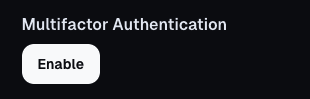
Hit Enable to launch the flow, where you'll be asked to select your preferred option. Follow the steps to secure your account.